DropOut




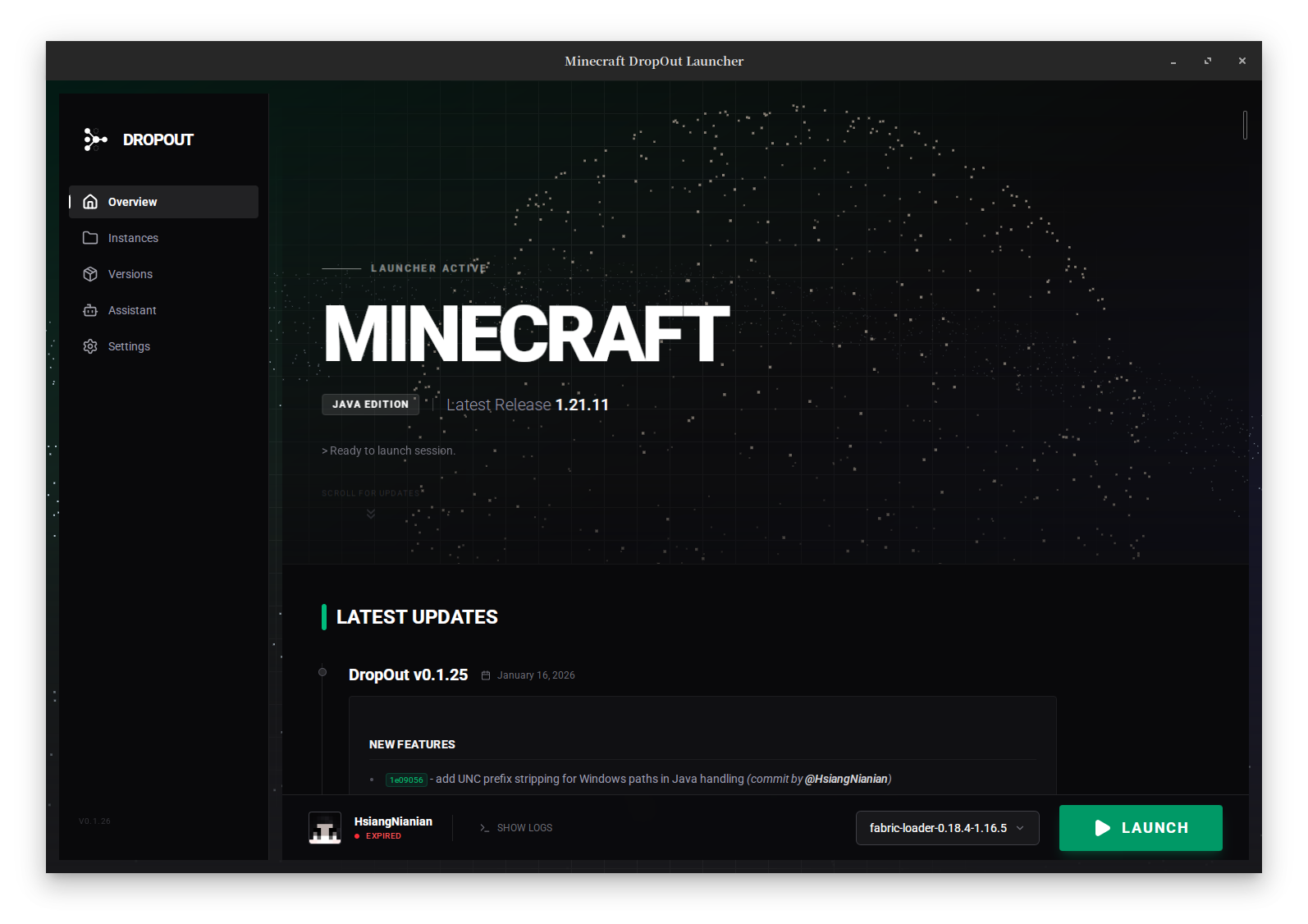
DropOut is a modern, minimalist, and efficient Minecraft launcher built with the latest web and system technologies. It leverages Tauri v2 to deliver a lightweight application with a robust Rust backend and a reactive Svelte 5 frontend.
Features
- High Performance: Built with Rust and Tauri for minimal resource usage and fast startup times.
- Modern Industrial UI: A clean, distraction-free interface designed with Svelte 5 and Tailwind CSS 4.
- Microsoft Authentication: Secure login support via official Xbox Live & Microsoft OAuth flows (Device Code Flow).
- Mod Loader Support:
- Fabric: Built-in installer and version management.
- Forge: Support for installing and launching Forge versions.
- Java Management:
- Automatic detection of installed Java versions.
- Built-in downloader for Adoptium JDK/JRE.
- GitHub Integration: View the latest project updates and changelogs directly from the launcher home screen.
- Game Management:
- Complete version isolation.
- Efficient concurrent asset and library downloading.
- Customizable memory allocation and resolution settings.
Roadmap
- [X] Account Persistence — Save login state between sessions
- [X] Token Refresh — Auto-refresh expired Microsoft tokens
- [X] JVM Arguments Parsing — Full support for
arguments.jvmandarguments.gameparsing - [X] Java Auto-detection & Download — Scan system and download Java runtimes
- [X] Fabric Loader Support — Install and launch with Fabric
- [X] Forge Loader Support — Install and launch with Forge
- [X] GitHub Releases Integration — View changelogs in-app
- [ ] Instance/Profile System — Multiple isolated game directories with different versions/mods
- [ ] Multi-account Support — Switch between multiple accounts seamlessly
- [ ] Custom Game Directory — Allow users to choose game files location
- [ ] Launcher Auto-updater — Self-update mechanism via Tauri updater plugin
- [ ] Mods Manager — Enable/disable mods directly in the launcher
- [ ] Import from Other Launchers — Migration tool for MultiMC/Prism profiles
Installation
Download the latest release for your platform from the Releases page.
| Platform | Files |
|---|---|
| Linux x86_64 | .deb, .AppImage |
| Linux ARM64 | .deb, .AppImage |
| macOS ARM64 | .dmg |
| Windows x86_64 | .msi, .exe |
| Windows ARM64 | .msi, .exe |
Building from Source
Prerequisites
- Rust: Install from rustup.rs.
- Node.js & pnpm: Used for the frontend dependencies.
- System Dependencies: Follow the Tauri Prerequisites for your OS.
Steps
- Clone the repository
bash
   git clone https://github.com/HsiangNianian/DropOut.git
   cd DropOut
2. Install Frontend Dependencies
bash
   cd ui
   pnpm install
   cd ..
3. Run in Development Mode
bash
   # This will start the frontend server and the Tauri app window
   cargo tauri dev
4. Build Release Version
bash
   cargo tauri build
The executable will be located in src-tauri/target/release/.
Contributing
Contributions are welcome! Please feel free to submit a Pull Request.
- Fork the Project
- Create your Feature Branch (
git checkout -b feature/AmazingFeature) - Commit your Changes (
git commit -m 'Add some AmazingFeature') - Push to the Branch (
git push origin feature/AmazingFeature) - Open a Pull Request
License


Distributed under the MIT License. See LICENSE for more information.